

TongFlow
An open-source, modality-first generative AI canvas where text, image, audio, video and 3D outputs from one workflow step feed into the next, with the model behind each step chosen independently and every result reusable as material for later steps.
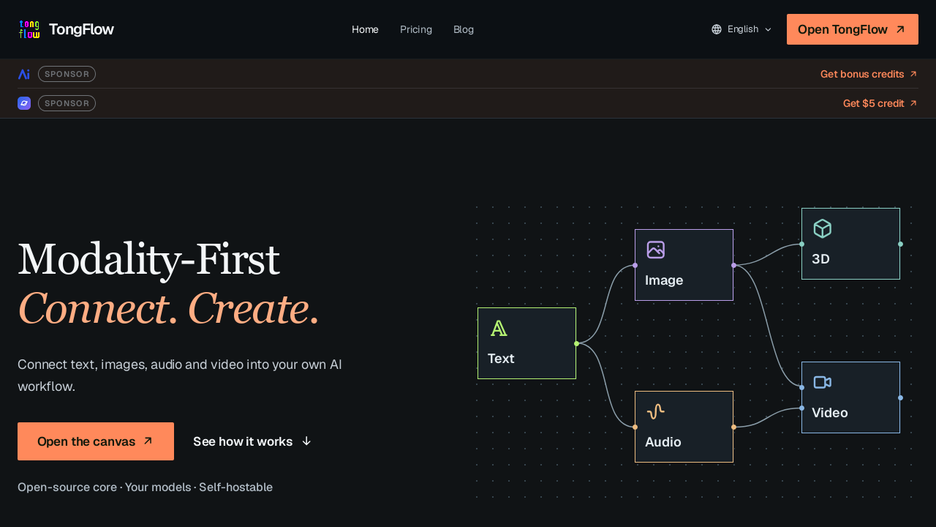
TongFlow lets a user combine generative AI steps across modalities, text, images, audio, video and 3D, into one workflow on a canvas, deciding how each output transforms or combines into the next and choosing which model powers each step independently, so a generated image, an audio transcript or any other result stays on the canvas as material that can be branched from, fed into a later step, or regenerated with a different model without redoing the rest of the workflow.
Its demo workflows illustrate the range, from a basic add-transform-combine sequence that blends generated images, through an intermediate flow that pairs a generated voice track with a generated character image into a lip-synced talking-head video, up to an advanced pipeline that produces a full music video from generated lyrics, song, characters, scenes and storyboard.
It can be used as TongFlow Cloud through a desktop app or browser, self-hosted from source or Docker, or built into another program with its npm package or a DeepSeek Harness plugin; its open-source core is shared across all three.